
Have you ever stood in front of a mirror, scissors or clippers in hand, wondering "what would I look like with a buzz cut?"—only to hesitate, paralyzed by the fear of an irreversible mistake? You're not alone. The buzz cut represents one of the most dramatic hairstyle transformations imaginable, a commitment that can either empowerment or regret. But what if you could preview this bold new look without risking a single strand of hair?
Enter the AI Buzz Cut Filter—a revolutionary virtual try-on tool powered by Google's cutting-edge Nano Banana Pro engine. This isn't another gimmicky social media filter that leaves you looking like a poorly edited meme. We're talking photorealistic 2K resolution transformations that accurately show how you'd look with everything from a military-regulation #3 cut to a stylish #10 guard buzz cut, complete with realistic stubble texture, natural hairline definition, and lighting that matches your original photo.
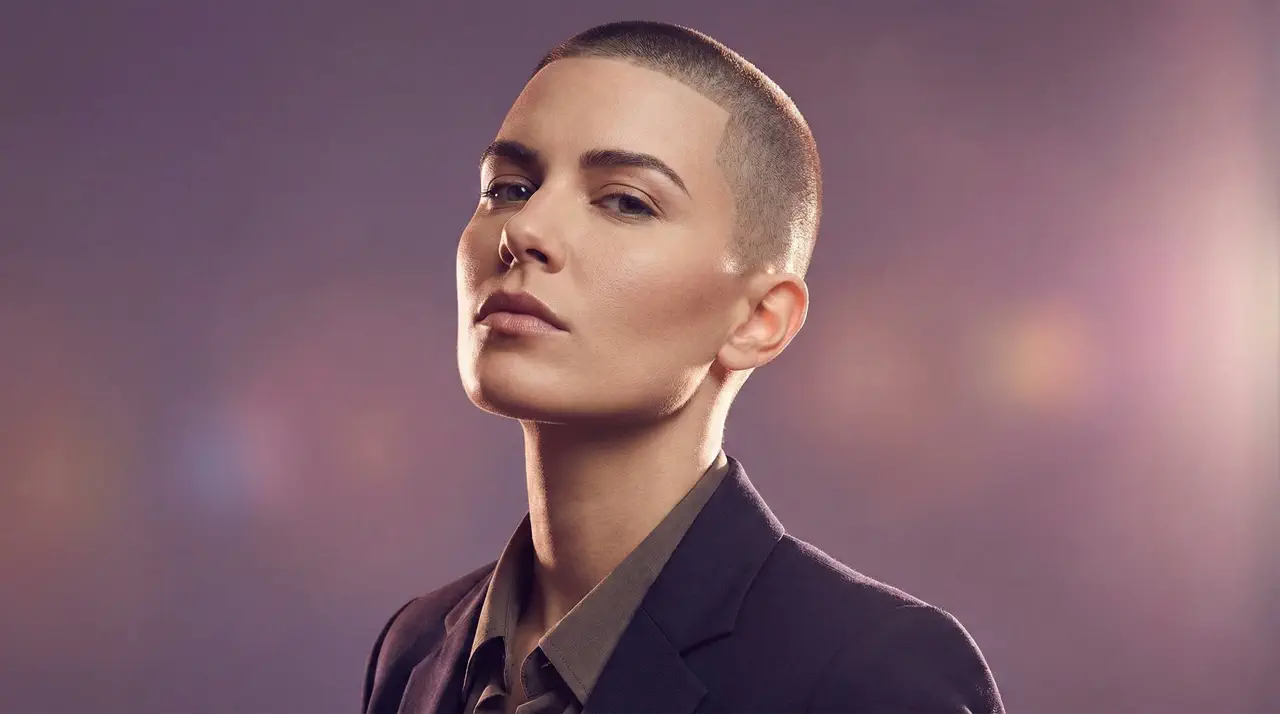
Whether you're genuinely considering the chop, preparing for military service, experiencing hair loss and contemplating acceptance, or simply creating scroll-stopping content for social media, Imgity buzz cut filter online delivers the confidence that comes from seeing your future self—today. Let's dive into everything you need to know about mastering this powerful AI buzz cut simulator.
🚀 Try Buzz Cut Filter Online Free →
What is an AI Buzz Cut Filter?
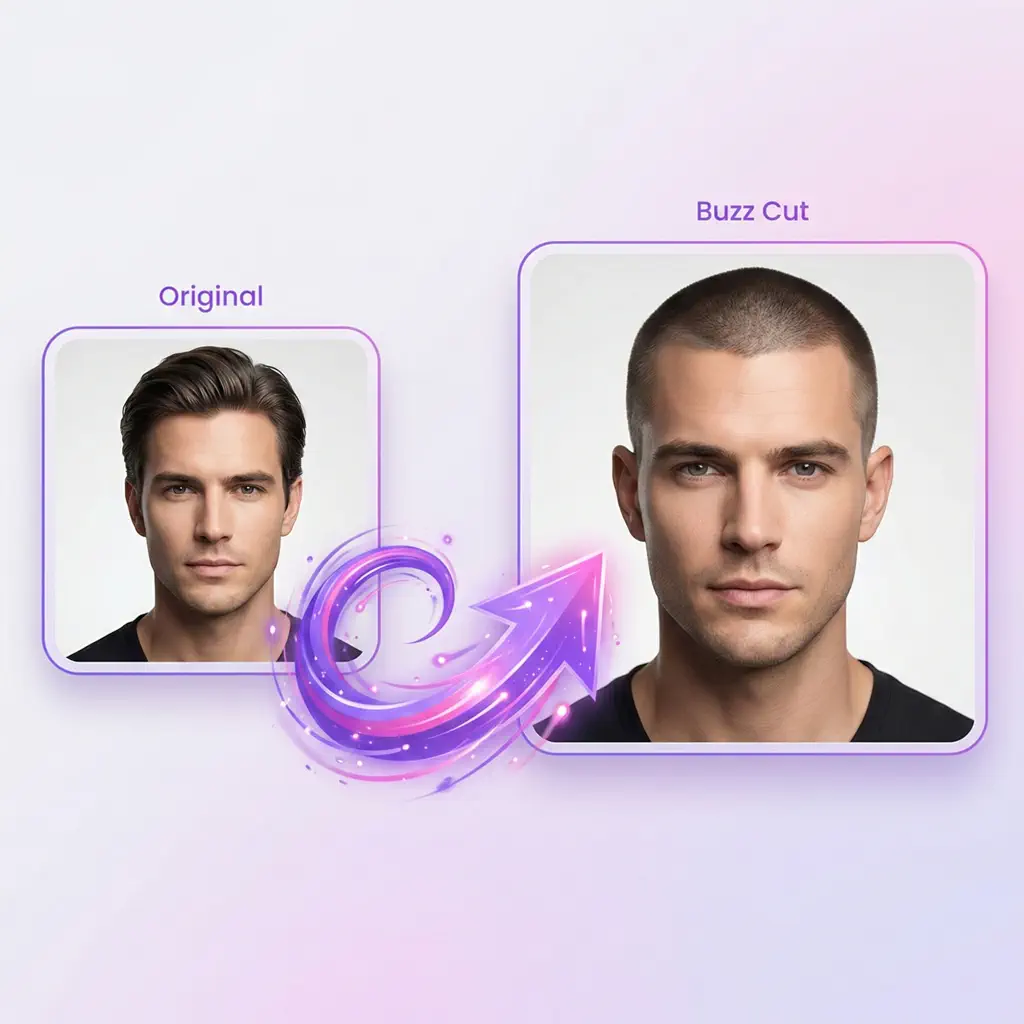
An AI buzz cut filter (also called a buzz cut simulator or virtual buzz cut tool) uses advanced artificial intelligence to digitally transform your photo, showing exactly how you'd look with your hair clipped short. Unlike traditional photo editing that requires manual layering and blending, AI buzz cut filters like Imgity intelligently analyze your facial structure, skin tone, existing hairline, and lighting conditions—then generate a photorealistic preview with natural-looking stubble texture and proper shadow integration.
Think of it as a risk-free haircut preview. You upload a clear photo, describe your desired buzz cut style through a text prompt, and within 10-30 seconds, receive a high-resolution image showing your new look. It's the ultimate answer to the eternal question: "how would I look with a buzz cut?"
What Makes AI Buzz Cut Filters Different from Social Media Filters?
You've likely seen buzz cut effects on TikTok, Instagram, or Snapchat. These social filters are designed for entertainment—obvious artificial effects, harsh cutouts, and cartoonish results that scream "fake." They're fun for a laugh, but useless for actual decision-making.
In contrast, a professional AI buzz cut filter powered by Nano Banana Pro delivers results that look like genuine photographs. The technology:
- Preserves your unique facial features without distortion
- Maintains natural skin tones and undertones
- Generates realistic stubble texture at the specified length
- Integrates proper lighting and shadows matching your original photo
- Outputs 2K resolution (2048×2048) suitable for printing or sharing anywhere
This distinction matters. When you're making a decision about permanently altering your appearance, you need accuracy—not entertainment.
🎯 See Your Buzz Cut Transformation Now →
Why Choose Imgity Buzz Cut Filter Powered by Nano Banana Pro?
Not all AI buzz cut filters are created equal. Imgity buzz cut simulator stands apart through technology, flexibility, and results that professionals trust.
⚙️ Nano Banana Pro Engine: The Technology Behind the Transformation
Imgity buzz cut filter is powered by Google's Nano Banana Pro—one of the most advanced AI image generation engines available today. This cutting-edge technology excels at:
- Precise facial feature recognition that maps your unique bone structure
- Realistic hair texture rendering that captures individual stubble grains
- Intelligent prompt understanding that interprets detailed natural language descriptions
- Superior image quality with sharp details and natural color grading
While competitors rely on older AI models that produce generic, one-size-fits-all results, Nano Banana Pro delivers personalized transformations that respect your individual characteristics. Whether you have curly hair, a receding hairline, a square jaw, or high cheekbones, the AI adapts to create a buzz cut that works specifically for you.
🎯 Crystal Clear 2K Resolution Output
Every buzz cut filter result from Imgity is generated in crisp 2K resolution (2048×2048 pixels). This matters for several reasons:
- Zoom capability: Examine details like hairline definition and stubble texture up close
- Print quality: Show your barber exactly what you want with a printout
- Social media ready: Share on any platform without quality loss
- Professional use: Suitable for portfolios, consultations, or reference materials
Most competitors output at 720p or 1080p. Imgity 2K standard ensures you see every detail with stunning clarity—the difference between guessing how you'd look and knowing with confidence.
✍️ Prompt-Based Flexibility vs. Fixed Presets
Here's where Imgity truly revolutionizes the buzz cut filter online experience. Instead of limiting you to a handful of preset options ("short," "medium," "long"), Imgity AI accepts detailed natural language prompts that let you specify exactly what you want:
- "Transform to 4 guard buzz cut (12mm) that complements my oval face shape"
- "Apply a military-style 3mm buzz cut with clean sharp hairline definition"
- "Show me a feminine buzz cut with 5mm on top and 2mm on sides"
- "Create a buzz cut with skin fade transitioning from 8mm on top to skin"
The AI understands guard numbers, millimeter lengths, fade styles, face shape considerations, and creative details. This flexibility means you're not just choosing a buzz cut—you're designing your precise vision. Most competitors force you into pre-made templates; Imgity empowers you to create custom results.
Works for All Hair Types and Textures
Imgity AI buzz cut filter handles diverse hair textures effectively. Whether you have:
- Straight hair that lies flat when cut short
- Wavy hair that adds subtle texture and movement
- Curly hair with tight spirals and coils
- Coily hair with defined texture patterns
Simply describe your hair type in your prompt, and the buzz cut simulator adapts to reveal how your unique texture would look when cut short. The AI preserves authentic texture representation, showing what each tiny curl, wave, or strand would look like at your specified length.
✨ Try Our Advanced Buzz Cut Simulator →
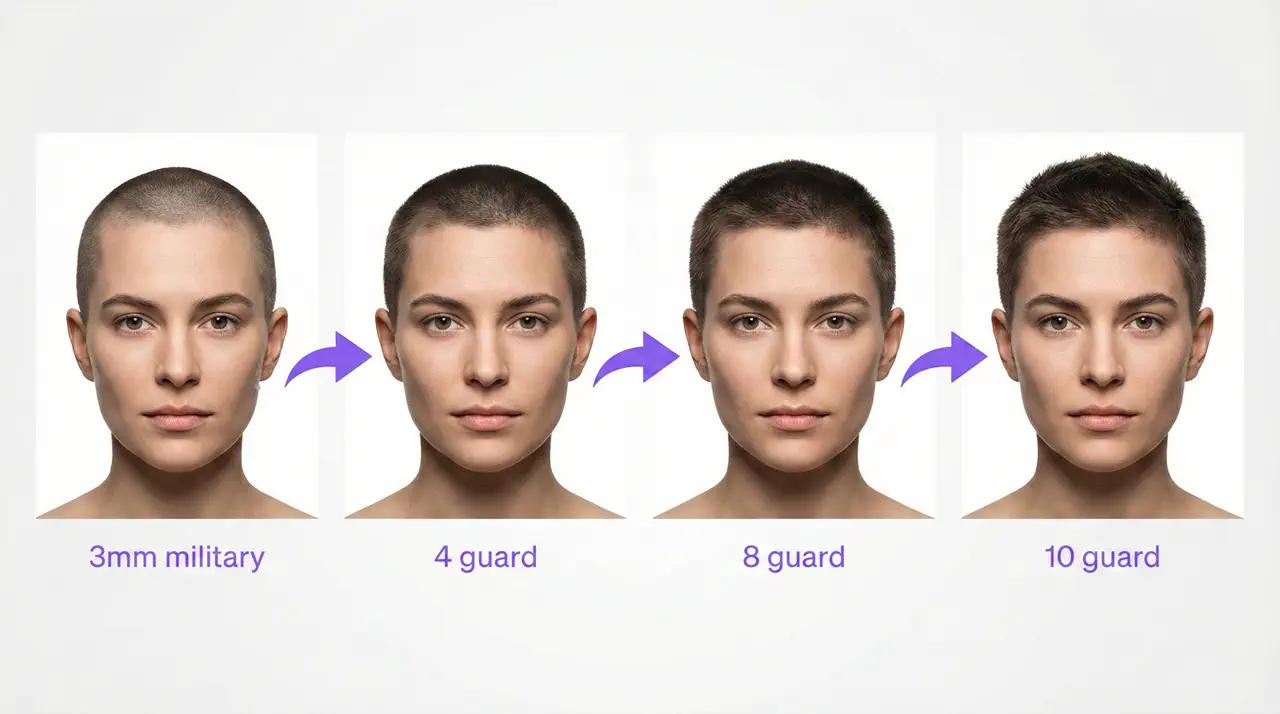
Understanding Guard Sizes: Complete Reference Guide
One of the most confusing aspects of buzz cuts for newcomers is the guard number system. Barbers use clipper guards numbered 1 through 10 (and beyond), each corresponding to a specific length. When using Imgity buzz cut filter, understanding these numbers helps you communicate exactly what you want.
Buzz Cut Guard Size Reference Table
| Guard # | Length in Millimeters | Length in Inches | Best For | Visual Effect |
|---|---|---|---|---|
| #1-2 | 3-6mm | ⅛" - ¼" | Military cuts, low-maintenance | Nearly bald, scalp visible |
| #3 | 10mm | ⅜" | Most popular choice | Balanced, clean look |
| #4 | 12mm | ½" | Square/diamond faces | Medium-short, natural coverage |
| #5 | 16mm | ⅝" | Thinner hair coverage | Fuller appearance |
| #6 | 19mm | ¾" | Transition to short hair | Short haircut vibe |
| #7 | 22mm | ⅞" | Round/oval faces | More texture visible |
| #8 | 25mm | 1" | Most face shapes | Crew cut territory |
| #10 | 32mm | 1¼" | Oval/heart faces | Long buzz cut, style-able |
Which Guard Size Should You Choose?
For your first Imgity buzz cut filter try-on, consider these guidelines:
- If you want the classic military look: Go with #1-3 (3-10mm). This is the shortest, cleanest option that says "commitment."
- If you're unsure and want flexibility: Try #4 (12mm) or #6 (19mm). These medium lengths provide enough texture to see how you'll look without being too dramatic.
- If you have thinner hair: #5 (16mm) or #7 (22mm) adds the appearance of fullness.
- If you want to test the waters: #10 (32mm) is long enough that you might not even need to commit—many people already have this length naturally on sides!
When using the Imgity buzz cut filter, you can generate multiple versions with different guard sizes and compare them side-by-side. This is incredibly valuable for finding your ideal length before visiting a barber.
💡 Pro Tip: When writing prompts for Imgity buzz cut filter, always specify both the guard number and millimeter length. For example: "Show me a 4 guard buzz cut (12mm) with clean edges." This redundancy helps the AI understand exactly what you want.
🎨 Compare Different Guard Sizes Now →
How to Use Buzz Cut Filter: Step-by-Step Guide
Using Imgity AI buzz cut filter is straightforward, but following these professional tips ensures the best results.
Step 1: Upload Your Photo
Start with a clear, front-facing photo where your hairline and facial features are clearly visible. For optimal buzz cut filter results:
- Use natural lighting—avoid harsh shadows that obscure your hairline
- Face the camera directly—side angles confuse the AI's facial mapping
- Ensure your hair is down—let your natural hairline show
- Choose a neutral expression—you'll see a more accurate transformation
- Avoid filters or heavy editing on your source photo
Step 2: Write Your Prompt
This is where creativity meets precision. Describe your desired buzz cut style using guard numbers, millimeter lengths, and any specific details. Effective prompt structure:
"Transform to [guard number] guard buzz cut ([mm]mm length).
Specify style details (military, fade, feminine, etc.).
Add face shape considerations if relevant.
Include any creative preferences."
Example prompts for different styles:
| Style | Prompt Example |
|---|---|
| Military | "Transform to military-style 3mm buzz cut (1/8 inch) with clean sharp hairline, even clipper work, regulation appearance" |
| Feminine | "Feminine buzz cut with 5mm on top and 2mm on sides, soft hairline, preserve delicate features" |
| Skin Fade | "8 guard buzz cut (25mm) on top with skin fade on sides and back, smooth blended transition" |
| Curly Hair | "Textured buzz cut at 3-4mm length preserving natural curl pattern, each coil visible and defined" |
Step 3: Generate and Refine
Click generate and wait 10-30 seconds for the AI to process. If the result isn't quite right:
- Adjust the length in your prompt and regenerate
- Add more specific details about hairline or fade style
- Specify face shape for better adaptation
- Try different descriptions of the same style
Imgity buzz cut filter allows unlimited regenerations during your session, so experiment freely until you find your perfect look.
Step 4: Download and Share
Once satisfied, download your 2K resolution image without watermarks. Use it to:
- Show your barber exactly what you want
- Share with friends for opinions
- Post on social media to gather feedback
- Save for reference before your haircut
⚡ Generate Your Buzz Cut Preview →
Prompt Engineering Guide: Getting the Best Buzz Cut Filter Results
The quality of your buzz cut filter results depends heavily on how well you craft your prompts. This section provides professional-level techniques for writing effective prompts that generate stunning, accurate transformations.
✅ DO vs. ❌ DON'T: Prompt Comparison
| ✅ DO (Specific & Detailed) | ❌ DON'T (Vague & Simple) |
|---|---|
| "Transform to 4 guard buzz cut (12mm) with clean hairline" | "buzz cut" |
| "Military-style 3mm buzz cut, regulation appearance, sharp edges" | "make me bald" |
| "Feminine buzz cut, 5mm top with 2mm sides, soft hairline" | "short hair" |
| "8 guard buzz cut with skin fade, smooth transition, textured top" | "cut my hair" |
| "Textured 3-4mm buzz cut preserving curl pattern, each coil visible" | "buzz cut for curly hair" |
The pattern is clear: specificity yields accuracy. The more details you provide about guard numbers, millimeter lengths, style preferences, and face shape considerations, the better your AI buzz cut filter results.
Advanced Prompt Techniques
1. Specify Length in Two Formats
Always include both guard numbers and millimeters:
"7 guard buzz cut (22mm) with textured appearance"
This redundancy helps the AI confirm your intended length.
2. Describe Hairline and Edges
Be explicit about hairline style:
"4 guard buzz cut (12mm) with clean sharp hairline definition, precise edges"
"3mm military buzz cut with soft natural hairline that complements my face shape"
3. Include Face Shape for Better Adaptation
If you know your face shape, mention it:
"6 guard buzz cut (19mm) that complements my square jawline"
"5 guard buzz cut (16mm) adapted for my oval face shape, balanced proportions"
4. Request Fade Styles When Desired
For more complex styles, describe the fade:
"8 guard buzz cut (25mm) on top with skin fade on sides, smooth gradual transition"
"10 guard buzz cut (32mm) with low fade at temples and nape"
5. Preserve Features That Matter
If you have distinctive characteristics, mention them:
"Feminine buzz cut, 5mm top with 2mm sides, preserve delicate facial features"
"Textured buzz cut at 3mm, enhance jawline revealed by short cut"
Buzz Cut Style Prompt Templates
Military Style:
"Transform to military regulation buzz cut (3mm), clean sharp hairline, even clipper work throughout, professional appearance, match lighting to original photo"
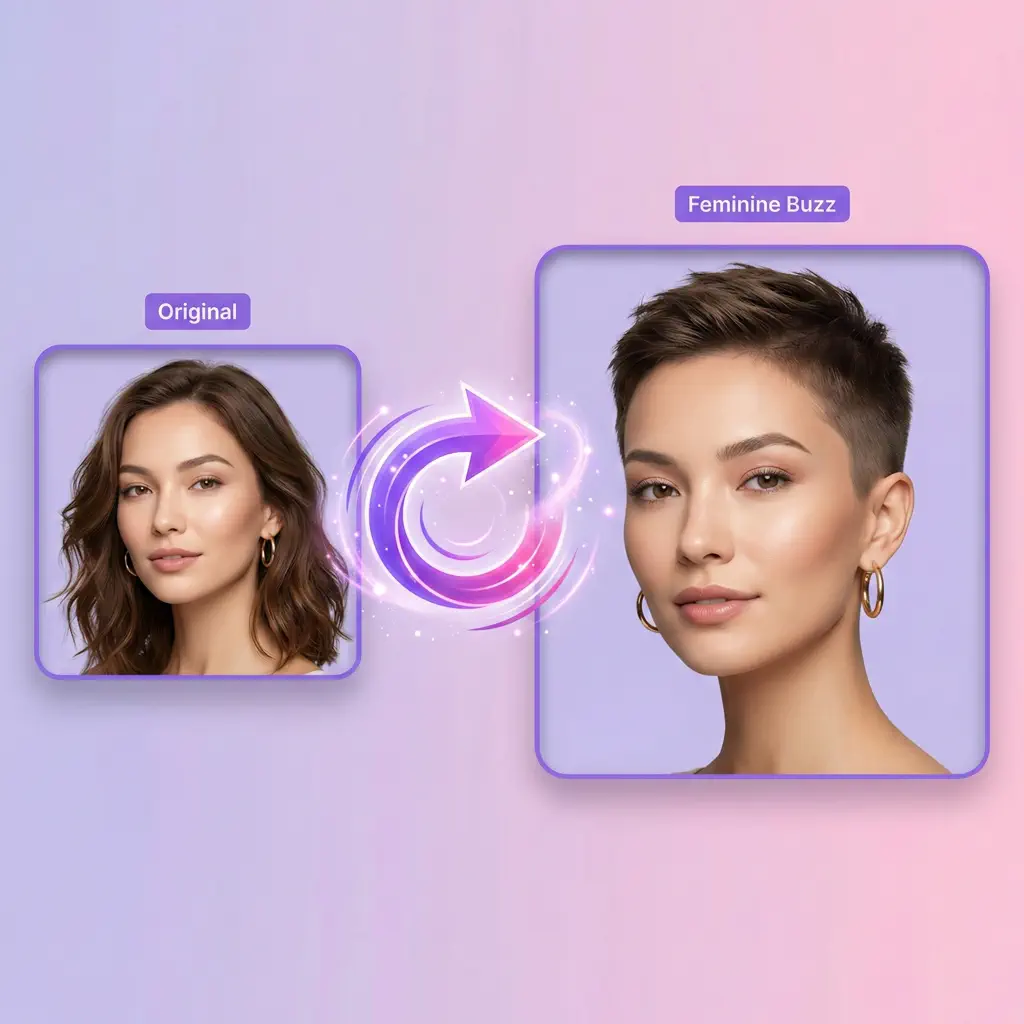
Feminine Style:
"Transform to feminine buzz cut with texture variation: 5mm on top, 2mm on sides and back, create softer hairline shape, preserve delicate features and natural makeup, maintain feminine enhancement"
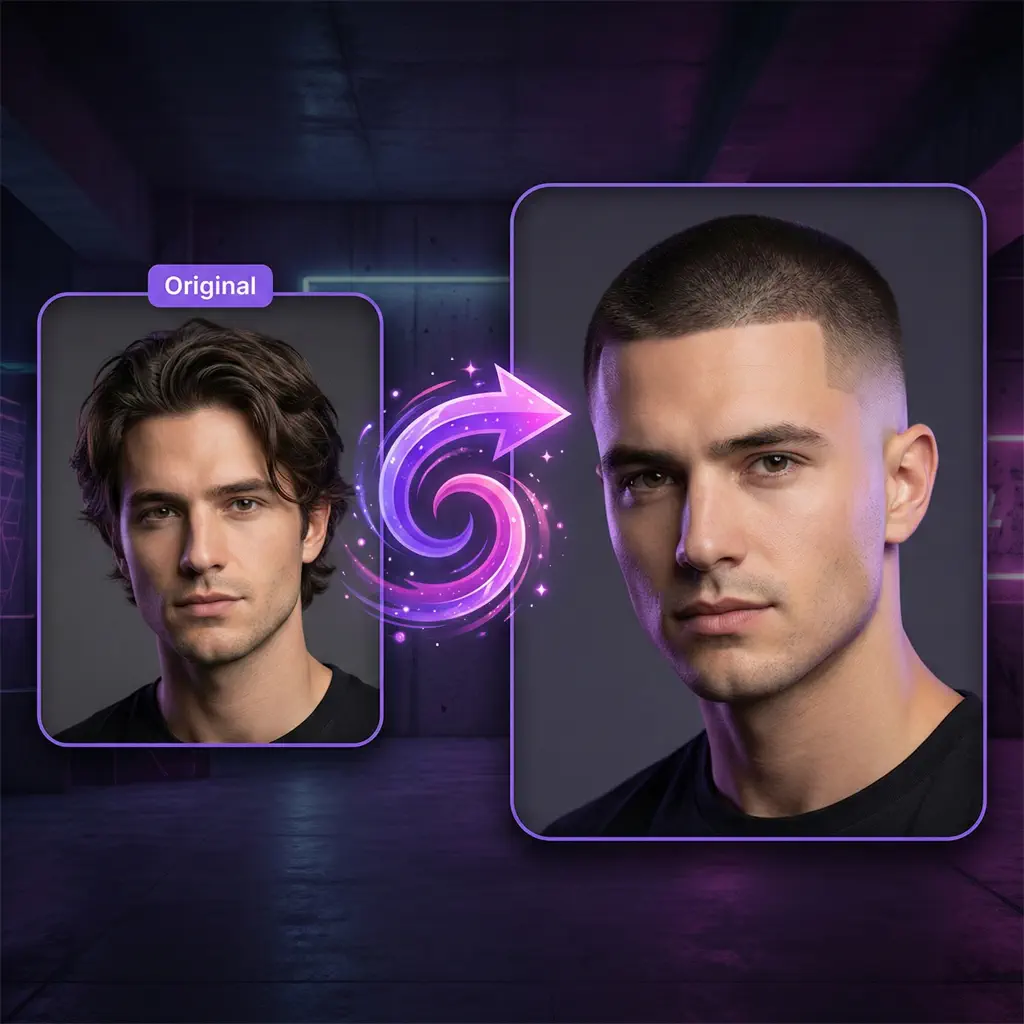
Skin Fade:
"Transform to buzz cut with skin fade, 8 guard (25mm) on top transitioning smoothly to skin at sides and nape, expert fade technique with no visible lines, textured length on top"
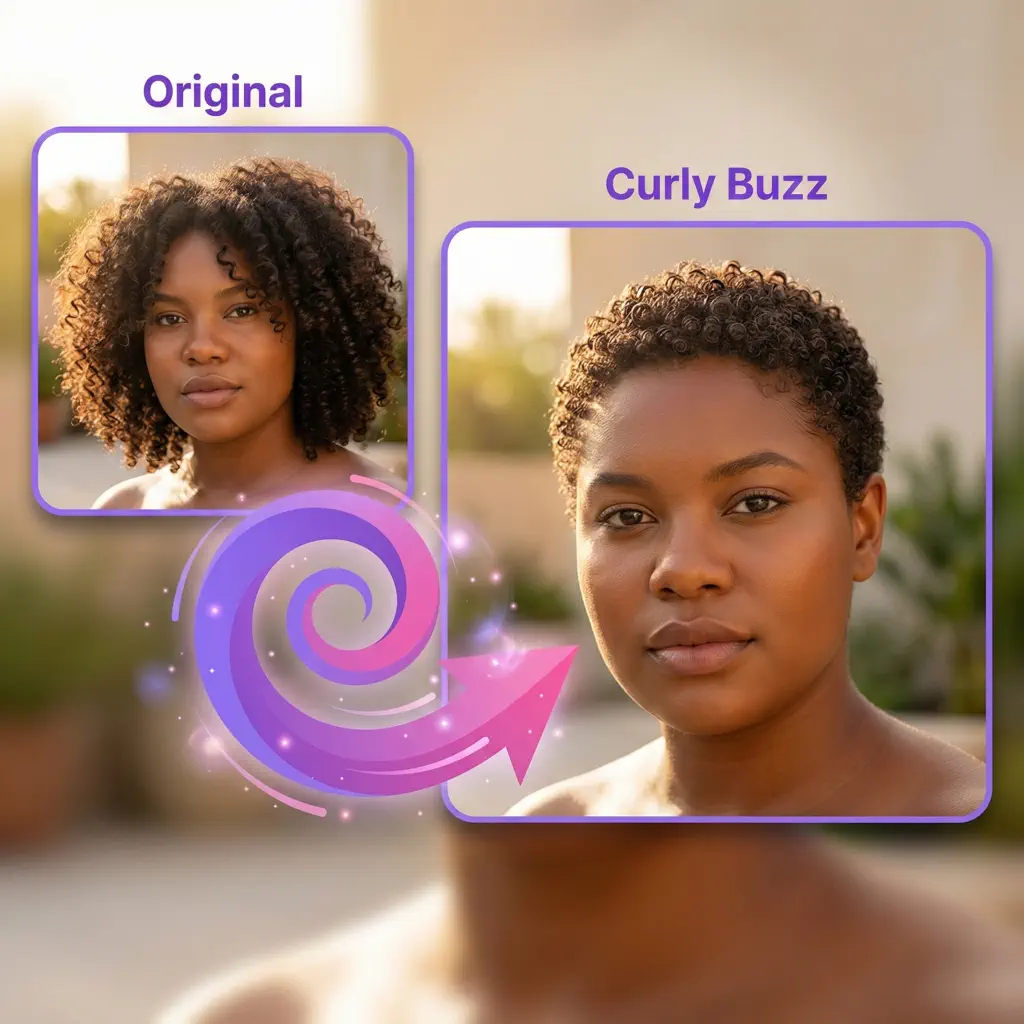
Curly Hair:
"Transform curly hair to textured buzz cut at 3-4mm length, preserve curl texture, each tiny curl/coil should remain visible and defined, enhance facial features, maintain natural skin tones"
⚠️ Common Mistake to Avoid: Writing prompts like "give me a cool buzz cut" or "make me look like [celebrity name]." These are too vague and will disappoint. Instead, use the specific templates above with guard numbers and millimeter lengths.
🎯 Try These Professional Prompts →
Face Shape Guide: Finding Your Perfect Buzz Cut
Not all buzz cuts flatter all faces equally. Understanding your face shape helps you choose the most flattering length and style for your features.
Buzz Cuts by Face Shape
| Face Shape | Recommended Guard Size | Why It Works |
|---|---|---|
| Oval | #4-#10 (12-32mm) | Balanced proportions allow versatility—shorter for bold look, longer for softness |
| Square | #2-#6 (6-19mm) | Shorter sides (2-3mm) soften strong jawline; medium top (4-6mm) adds balance |
| Round | #1-#4 (3-12mm) | Shorter overall length elongates face; avoid too much volume on top |
| Heart | #4-#8 (12-25mm) | Medium length balances wider forehead; some softness flatters |
| Diamond | #4-#7 (12-22mm) | Adds fullness at sides that narrow temples; creates harmony |
| Oblong | #6-#10 (19-32mm) | More length on top adds width, balancing long face shape |
Writing Face Shape-Specific Prompts
When using Imgity AI buzz cut filter, include your face shape in the prompt:
For Square Face:
"3mm buzz cut on sides (tight to soften jawline) with 5mm on top for balance, enhance strong jawline while creating harmony"
For Round Face:
"4 guard buzz cut (12mm) overall to elongate face, avoid excessive volume on top, create lengthening effect"
For Oval Face:
"8 guard buzz cut (25mm) with textured top, maintain balanced proportions that work with oval face shape"
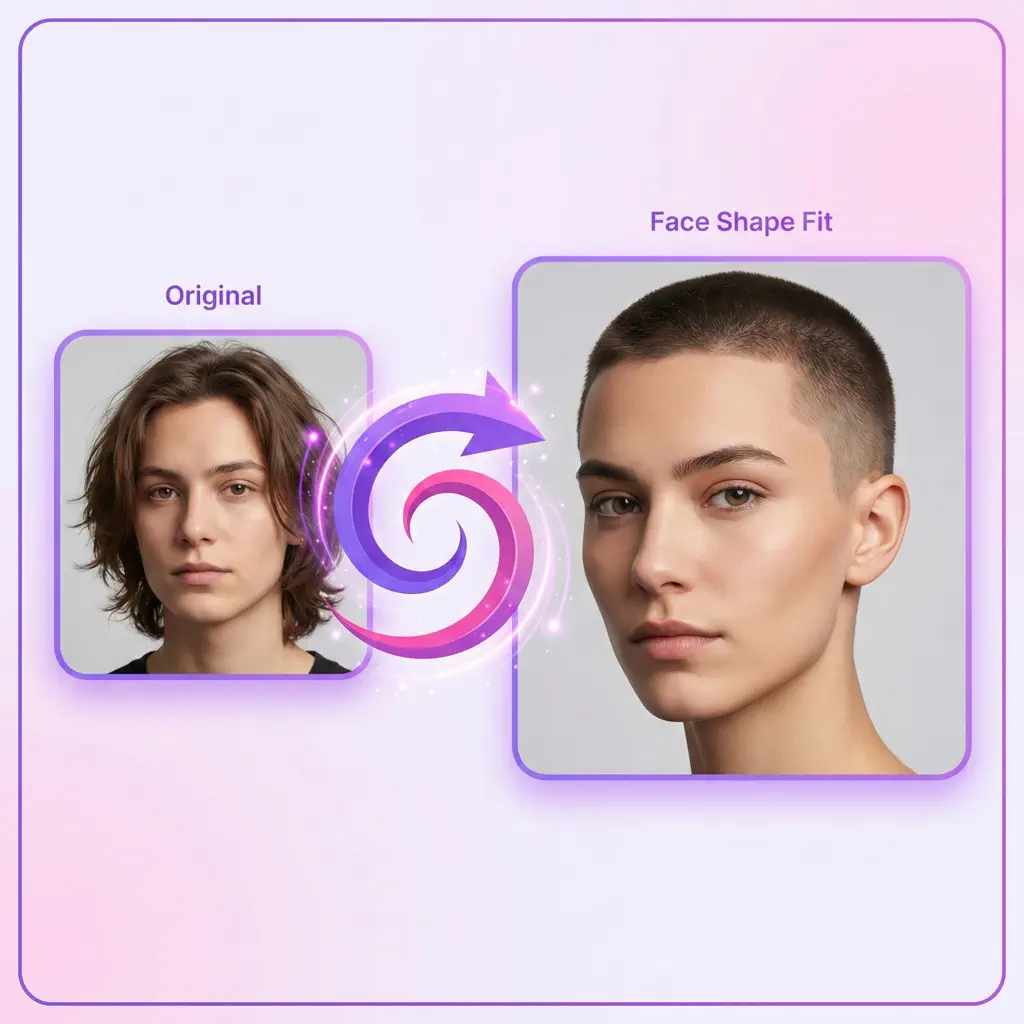
The AI analyzes your facial structure from the uploaded photo, but explicitly mentioning your face shape in the prompt ensures the transformation optimizes for your features.
💡 Pro Tip: If you're unsure about your face shape, try generating multiple buzz cut filter results with different guard sizes (#4, #6, #8, #10) and compare which one looks most flattering on you.
Hair Texture Considerations for Buzz Cuts
Your natural hair texture dramatically influences how a buzz cut will look. Imgity AI buzz cut filter adapts to different textures when you specify them in your prompt.
Buzz Cuts by Hair Texture
| Hair Texture | Recommended Length | Prompt Tips | What to Expect |
|---|---|---|---|
| Straight | Any length works | Keep prompt simple | Clean, uniform appearance; scalp more visible at shorter lengths |
| Wavy | #4-#8 (12-25mm) | Specify "preserve wave texture" | Subtle texture adds depth; more movement than straight hair |
| Curly | #3-#6 (10-19mm) | "Preserve curl pattern, each coil visible" | Individual spirals create interesting texture; 3-4mm shows definition |
| Coily | #3-#5 (10-16mm) | "Maintain authentic coil texture" | Rich texture with tight patterns; creates dramatic visual interest |
Texture-Specific Prompt Examples
For Curly Hair:
"Transform curly hair to textured buzz cut at 3-4mm length, preserve curl texture, each tiny curl/coil should remain visible and defined, enhance facial features, maintain natural skin tones and rich undertones"
For Wavy Hair:
"Transform wavy hair to buzz cut at 6mm length, preserve natural wave texture and subtle movement, maintain soft appearance, keep natural hairline shape"
For Straight Hair:
"Transform straight hair to clean 4 guard buzz cut (12mm), create uniform appearance, even clipper work throughout, sharp clean edges, match lighting to original photo"
The key is authenticity—you want the AI to show how your unique texture would actually look when cut short, not some generic smooth approximation. By specifying "preserve texture" or "maintain curl pattern," you ensure the buzz cut filter represents reality.
✨ See Your Texture, Shortened →
Real-World Use Cases for Buzz Cut Filters
Beyond personal curiosity, AI buzz cut filters serve practical purposes across various scenarios.
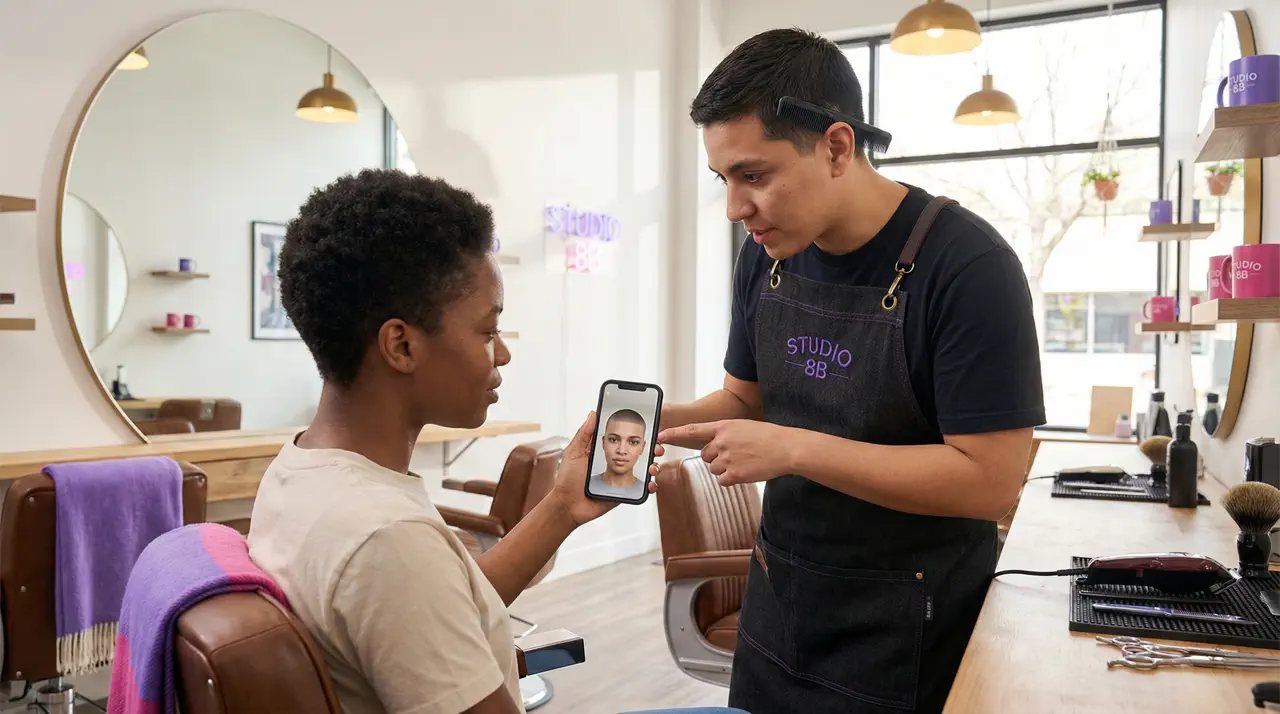
1. Pre-Haircut Visualization
The most common use: seeing yourself before committing. A buzz cut is dramatic and irreversible in the short term. Imgity buzz cut simulator lets you:
- Test different guard lengths (#4, #6, #8, #10) to find your ideal length
- Experiment with fade styles (skin fade, low fade, high fade)
- See how the cut complements your face shape
- Gain confidence before visiting the barber
ROI Impact: Avoid costly mistakes. A bad buzz cut takes weeks to grow out. A 30-second buzz cut filter preview saves you from weeks of regret.
2. Military Service Preparation
For those enlisting, the regulation buzz cut is inevitable. Imgity AI buzz cut filter helps you:
- Preview the mandatory transformation beforehand
- Mentally prepare for the dramatic change
- Show family members what to expect
- Enter basic training with confidence, not shock
Practical Value: Reduce anxiety by seeing the change privately first. Many service members report this preview made their transition significantly easier.
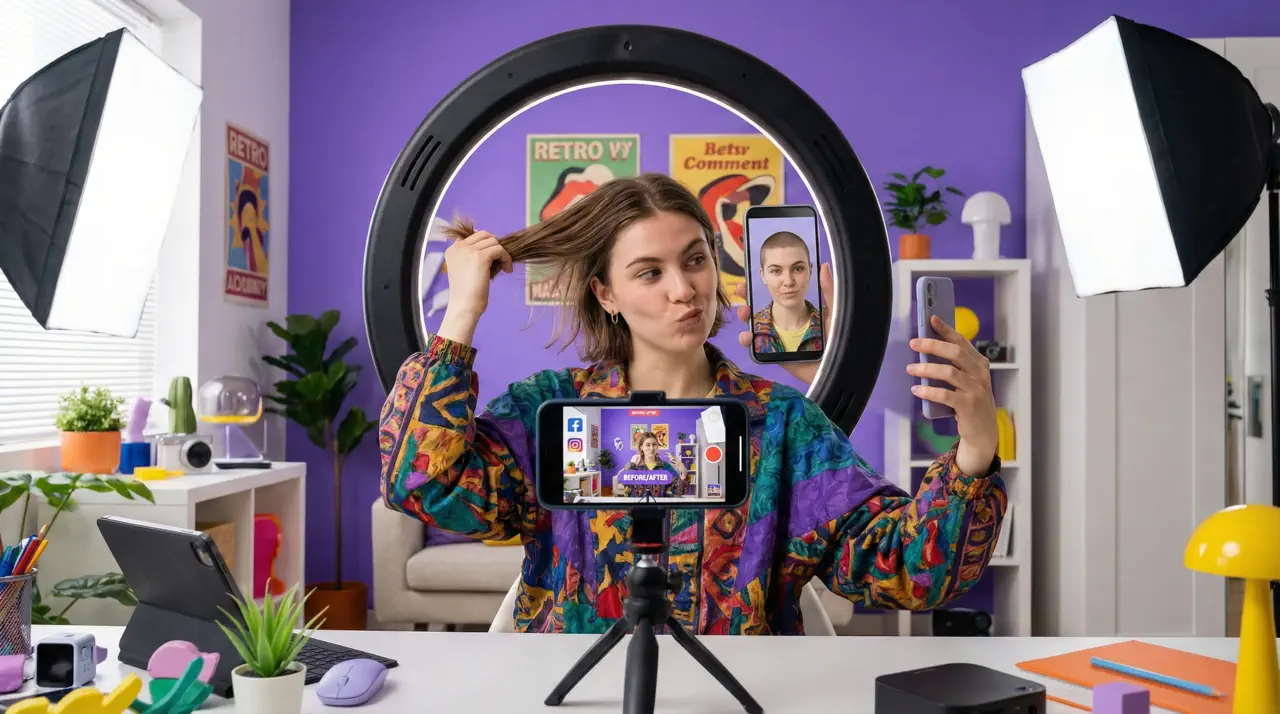
3. Social Media Content Creation
Content creators love Imgity buzz cut filter for:
- Before-and-after transformations that engage followers
- Pranking friends with realistic fake buzz cuts
- Gathering opinions on a potential new look
- Trend participation in viral challenges
Engagement Data: Visual content with dramatic transformations sees 2.3× higher engagement than text-only posts. Our 2K quality output ensures your content stands out professionally.
4. Hair Loss Consideration
For those experiencing thinning hair or receding hairlines, a buzz cut filter provides:
- Realistic preview of embracing shorter hair
- Visualization of how clean lines might address hairline concerns
- Confidence boost through controlled preview
- Decision support for a significant change
Emotional Value: Many users find that seeing themselves with a buzz cut reduces anxiety about hair loss. The preview empowers them to make a confident choice rather than feeling controlled by thinning hair.
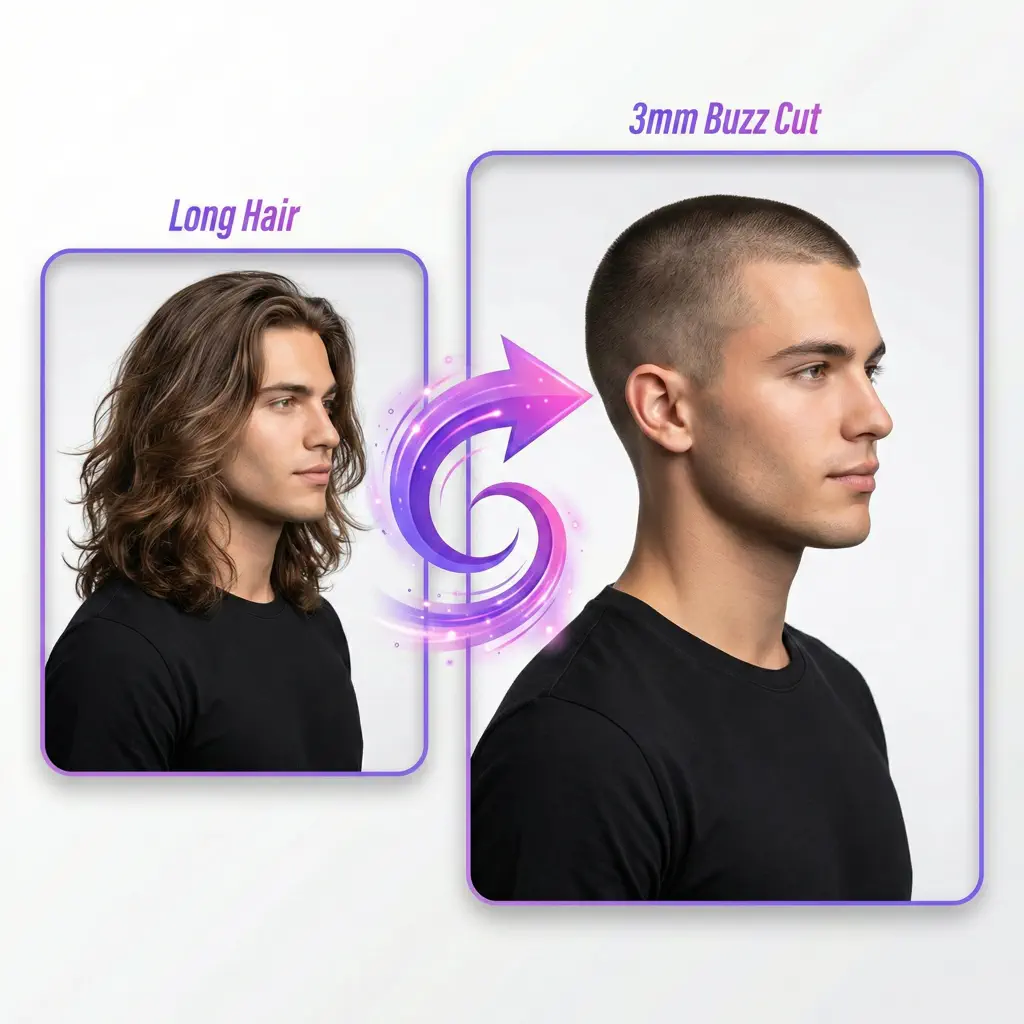
💡 Pro Tip: When generating with Imgity buzz cut filter for social media, use prompts that create dramatic transformations ("Transform to 3mm military buzz cut from long hair") to maximize engagement. For personal decision-making, try multiple subtle variations (4 guard vs 6 guard vs 8 guard) to find your ideal length.
🚀 Start Creating Your Transformation →
Frequently Asked Questions About Buzz Cut Filters
1. What is a buzz cut filter and how does it work?
A buzz cut filter is an AI-powered virtual try-on tool that transforms your photo to show how you'd look with short, clipped hair. Imgity buzz cut filter uses the advanced Nano Banana Pro engine to analyze your facial structure, hairline, skin tone, and lighting—then generates a photorealistic preview with accurate stubble texture at your specified length. Simply upload a photo, describe your desired style (including guard numbers or millimeter lengths), and receive a 2K resolution result in 10-30 seconds.
2. What would I look like with a buzz cut for my face shape?
Imgity buzz cut filter analyzes your unique face shape from your uploaded photo. For best results, mention your face shape in your prompt: "6 guard buzz cut that complements my oval face shape" or "4 guard buzz cut (12mm) adapted for my square jawline." The AI generates results tailored to your facial structure, but explicitly stating your face shape ensures optimization. We recommend trying multiple guard sizes (#4, #6, #8, #10) and comparing which looks most flattering on you.
3. How do guard numbers translate to actual length?
Guard numbers correspond to clipper attachment sizes: 4 guard buzz cut = 12mm (½ inch), 7 guard buzz cut = 22mm (⅞ inch), 8 guard buzz cut = 25mm (1 inch), and 10 guard buzz cut = 32mm (1¼ inches). When using Imgity buzz cut filter, always specify both the guard number and millimeter length in your prompt for accuracy. Lower numbers (#1-3) are very short (3-10mm), while higher numbers (#8-10) create longer buzz cuts that approach crew cut territory.
4. Can women use the buzz cut filter?
Absolutely! Imgity buzz cut filter works for all genders. The AI adapts to feminine features and can show various buzz cut styles—from subtle textured cuts with longer tops (5mm) and tighter sides (2mm) to bold looks. Many women use Imgity buzz cut simulator to preview dramatic changes before committing, or to create empowering social media content. Simply describe your desired style in your prompt: "Feminine buzz cut, 5mm top with 2mm sides, soft hairline, preserve delicate features."
5. How is this different from social media buzz cut filters?
Unlike TikTok or Instagram filters designed for entertainment with obvious artificial effects, Imgity AI buzz cut filter powered by Nano Banana Pro creates photorealistic 2K resolution results suitable for actual decision-making. Social filters have harsh cutouts, cartoonish quality, and distort facial features. Imgity buzz cut filter preserves your natural appearance while accurately showing how short hair would look—down to realistic stubble texture and proper lighting integration. The quality difference is dramatic enough that many users show the generated image to their barber as a reference.
6. What resolution are the generated buzz cut filter images?
Every Imgity buzz cut filter result is generated in 2K resolution (2048×2048 pixels). This high-quality output ensures you can zoom in on details, print the image for consultation with your barber, or share it on any platform without losing clarity. Most competitors output at 720p or 1080p, but Imgity 2K standard provides professional-grade results suitable for any purpose.
Conclusion: Your Bold New Look Awaits
The power to visualize your perfect buzz cut is now at your fingertips. Whether you're genuinely considering the chop, preparing for military service, exploring how to address hair loss, or creating engaging social media content, Imgity AI Buzz Cut Filter powered by Nano Banana Pro delivers the most realistic virtual try-on experience available today.
Why wait? Experience the future of hairstyle visualization:
- ⚡ Fast: 10-30 second processing
- 🎨 Flexible: Prompt-based customization with any guard length
- 💼 Professional: 2K resolution output suitable for any use
- 💰 Affordable: Free trial to experience the quality
- ✨ Powerful: Nano Banana Pro engine technology
Upload your photo, describe your vision using guard numbers and millimeter lengths, and see yourself with a buzz cut in seconds. No commitment, no regret—just clarity and confidence before you make the real decision.
🚀 Try Buzz Cut Filter Online Free →
Have questions about using Imgity AI buzz cut filter? We're here to help! Email us at support@imgity.com with your inquiries.