
In today's visually-driven digital landscape, compelling imagery is more critical than ever. Studies show that content with high-quality visuals receives 94% more engagement than text-only content. Whether you're an e-commerce seller, social media manager, or creative professional, the ability to create stunning visual compositions can significantly impact your success.
Traditionally, combining multiple images required extensive Photoshop skills, hours of manual editing, and often resulted in unnatural-looking merges. Enter AI image combiner technology—a revolutionary approach that's transforming how we merge photos and create visual content.
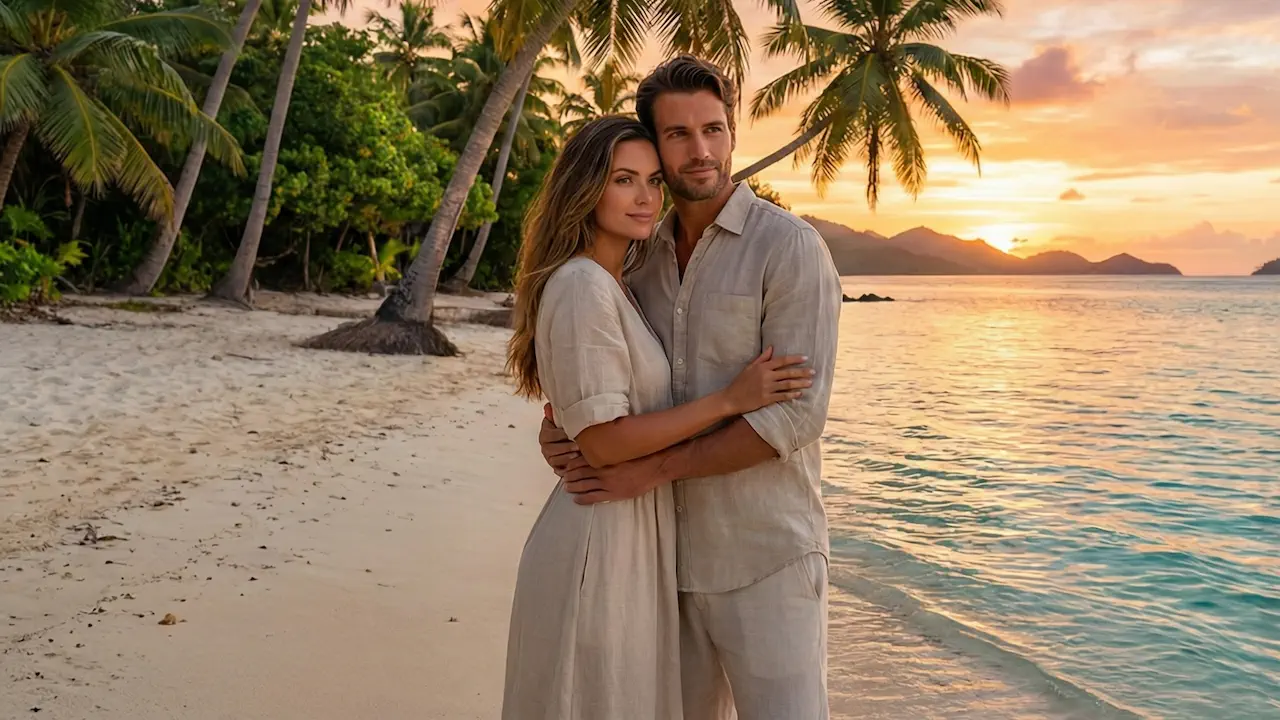
With Imgity AI image combiner powered by the advanced Nano Banana Pro engine, you can now merge multiple images into one seamless composition in seconds, not hours. No design skills required—just upload, describe your vision, and let AI do the magic.
What is an AI Image Combiner?
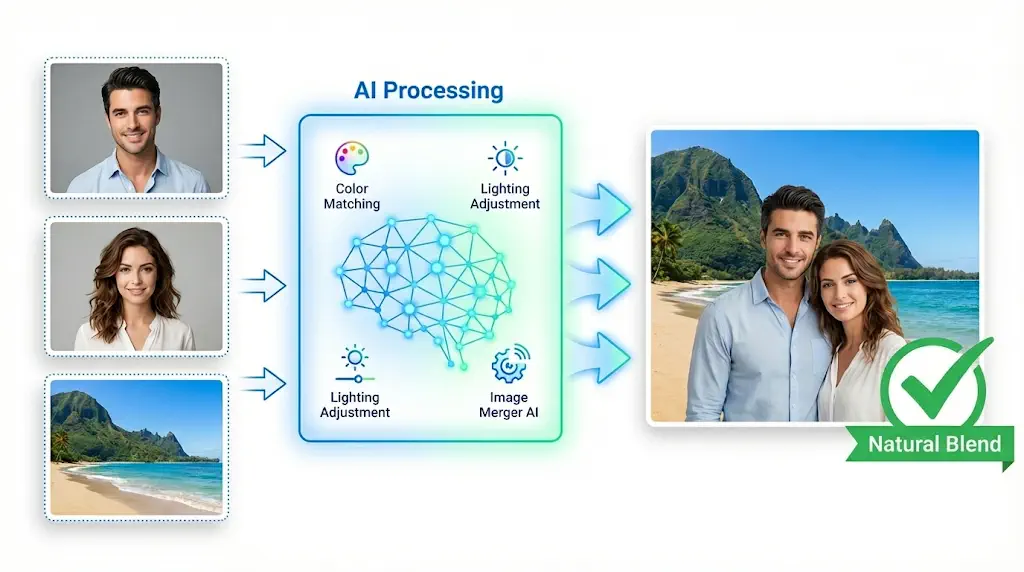
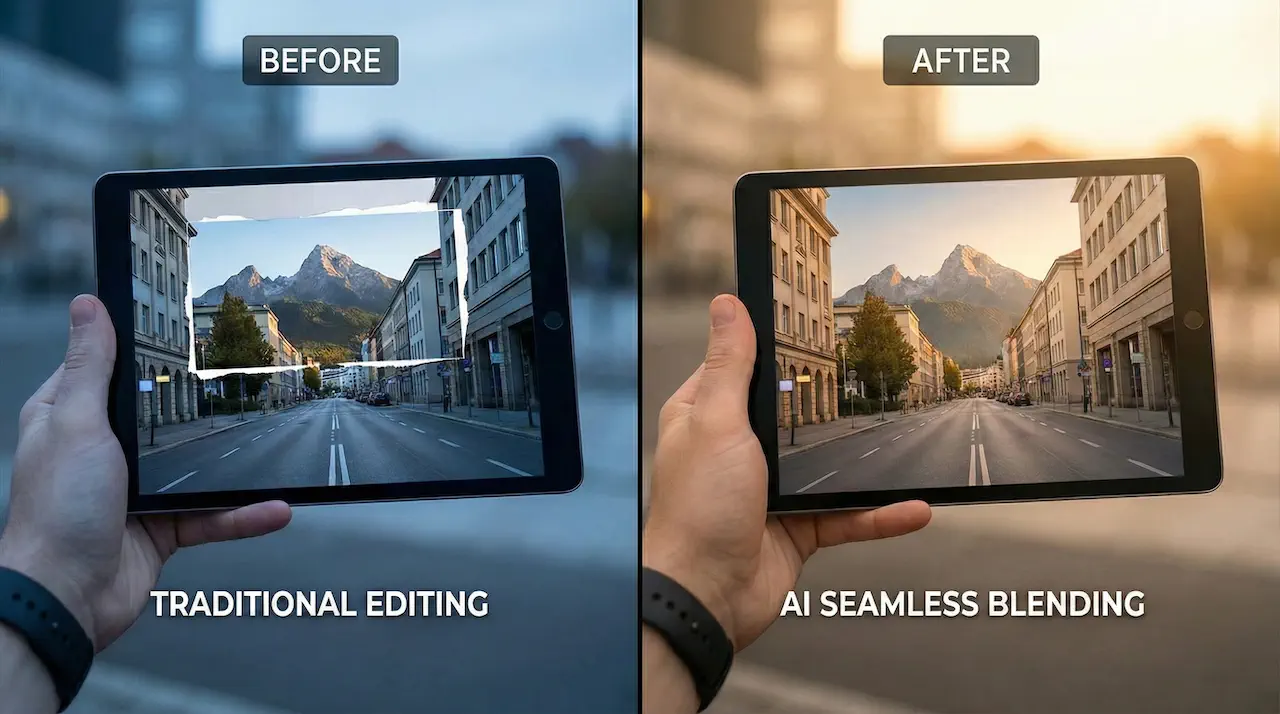
An AI image combiner (also known as AI image merger or photo combiner) uses advanced artificial intelligence to analyze and blend elements from multiple images into a single, cohesive composition. Unlike traditional photo editing tools that simply layer images, AI combiners understand content, match lighting and colors, and create natural-looking merges when you combine two images.
The image merger AI technology works by:
- Analyzing each uploaded image to understand subjects, backgrounds, lighting conditions, and color palettes
- Intelligently blending elements by adjusting colors and lighting for seamless transitions
- Following text prompt instructions to guide how images should be combined
- Optimizing output for natural-looking results that appear as one genuine photograph
AI Image Combiner vs. Traditional Tools
| Feature | Traditional Photoshop | AI Image Combiner |
|---|---|---|
| Learning Curve | Steep, requires training | Zero门槛, anyone can use |
| Processing Time | Hours of manual work | 10-30 seconds |
| Natural Results | Depends on technician skill | AI-optimized automatically |
| Multiple Images | Complex layer management | Supports 2-8 images easily |
| Cost | Expensive software subscription | Free to try, affordable plans |
Technical Specifications
- Supported Formats: JPG, PNG, WEBP
- Output Resolution: Up to 2K
- Image Capacity: 2-8 photos per merge
- Processing Time: 10-30 seconds
- Output Format: High-quality PNG without watermarks
Why Choose Imgity AI Image Combiner?
Imgity stands out in the crowded field of AI image combiners thanks to our commitment to quality, ease of use, and professional results. Here's what makes our ai image combiner the preferred choice for creators and businesses:
1. Seamless Blending Technology
Our image combiner AI intelligently matches colors, lighting, and textures across photos for perfectly natural combinations. The advanced algorithms analyze each image's characteristics and automatically adjust elements so your creations appear as if they were always meant to be together. No visible seams, no awkward transitions—just flawless merges.
2. Combine Multiple Images Into One
Unlike basic tools that only merge two photos, Imgity ai image combiner supports 2-8 images simultaneously. Whether you're creating a complex product showcase or blending multiple portrait shots, our AI intelligently arranges and blends all your images into one stunning composition automatically.
3. Precise Prompt Guidance
Provide text prompts to guide the AI, giving you creative control over how to combine images for the best result. Describe your vision in plain English, and our AI image merger will follow your instructions to create the desired composition. From "blend portrait with beach background" to "combine images side by side," you're in control.
4. No Watermarks, Full Commercial Rights
Download your high-quality merged images (up to 2K resolution) without any watermarks or branding. Plus, all paid plans include complete commercial usage rights—use your combined photos for marketing, social media, products, advertisements, and any business purpose with confidence.
Powered by Nano Banana Pro Engine
Imgity ai image combiner is powered by Nano Banana Pro, one of the most advanced AI image generation engines available. This cutting-edge technology ensures:
- Superior image quality with sharp details
- Natural lighting and color matching
- Fast processing times (10-30 seconds)
- Consistent, professional results
Experience the Power of AI Image Combiner →
How to Combine Multiple Images: Complete Step-by-Step Guide
Creating stunning image combinations with Imgity AI image combiner is simple and straightforward. Follow these four steps to achieve professional results:
Step 1: Upload Your Images
Select two or more photos from your device that you want to combine multiple images into one. Our AI image combiner supports JPG, PNG, and WEBP formats. You can upload up to 8 images at once for maximum creative flexibility.
💡 Pro Tip: Choose images with similar lighting directions for the most natural results. For example, if combining portraits, select photos where the light source comes from the same direction.
Step 2: Customize Your AI Merge
Describe how you want to merge images using text prompts. The AI photo merge tool gives you full creative control over the output. Be specific and detailed in your description.
Prompt Examples:
| Use Case | Effective Prompt |
|---|---|
| Couple Photo | "A romantic couple on beach sunset, warm lighting, realistic style, smiling and wearing summer clothes" |
| Product Display | "Place perfume bottle naturally on mossy rock. Harmonize lighting with misty forest background for realistic product shot" |
| Artistic Creation | "Create double exposure effect. Merge mountain sunset landscape inside the silhouette of man's profile" |
| Social Media | "Combine puppy onto sunny balcony. Match lighting and shadows with Santorini seascape background perfectly" |
Step 3: Generate Your Composition
Click generate and watch as our AI creates a perfectly blended composition. The ai image merger analyzes your images and creates natural-looking merges in seconds. Preview your result instantly.
💡 Pro Tip: Generate multiple versions and compare. Small variations in your prompt can produce significantly different results. Experiment with different descriptions to find the perfect combination.
Step 4: Download Your Image
Download your high-quality merged image (up to 2K resolution) without watermarks. Your ai photo merge process is complete—ready for projects, social media, or marketing campaigns.
⚠️ Common Mistakes to Avoid:
- ❌ Inconsistent Lighting: Avoid combining images with dramatically different lighting directions
- ❌ Vague Prompts: "Combine these photos" is too general. Be specific about positioning and style
- ❌ Low-Quality Source: Use clear, well-lit images for best results
- ✅ Solution: Select images with consistent lighting, write detailed prompts, and use high-resolution source photos
Ready to try? Start Combining Images →
Top Use Cases for AI Image Combiner with ROI Data
Discover how creators and businesses use our ai image combiner to combine multiple images and elevate their visuals for maximum impact:
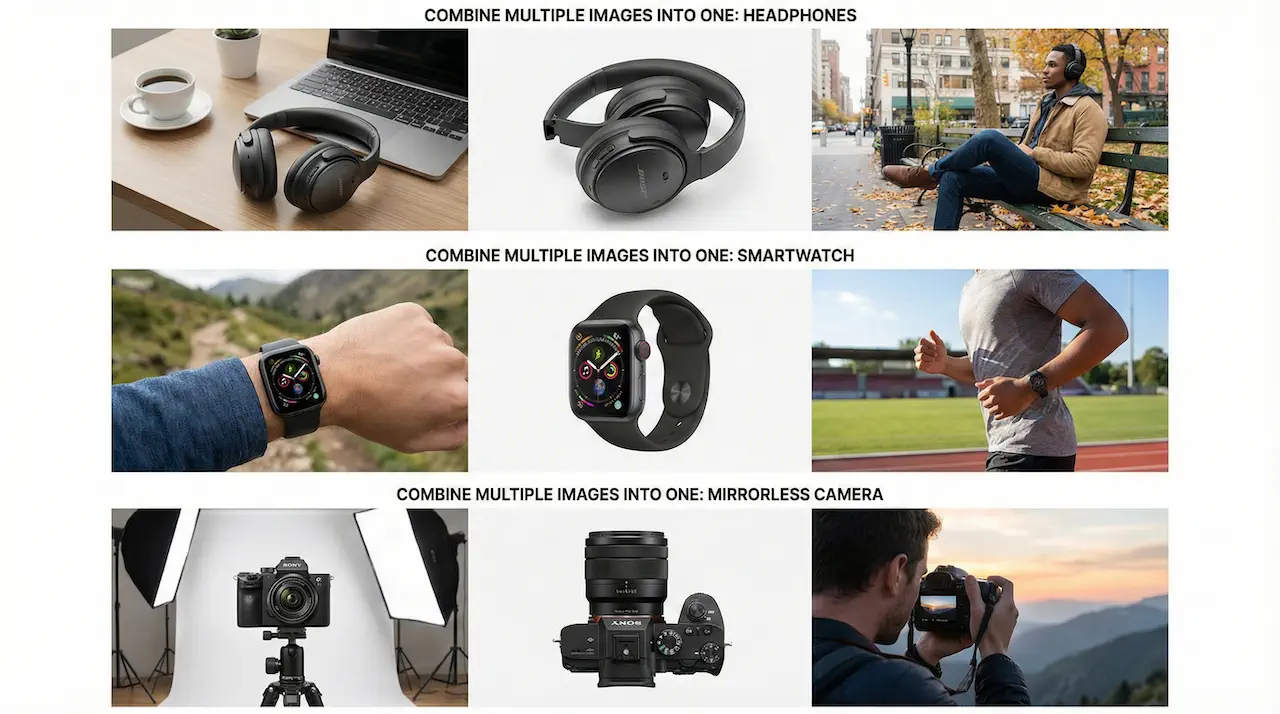
1. E-commerce Product Display
Combine two images to showcase products with different backgrounds or merge multiple product angles into a single showcase image. Our ai photo merge online tool helps increase click-through rates and boost sales with professional product presentations.
ROI Impact:
- 📈 Click-through rate increase: 35%
- 💰 Cost reduction: 60% lower than professional photography
- ⏱️ Time savings: Hours of editing → seconds of processing
Prompt Tips for E-commerce:
- Specify background settings ("studio white background," "lifestyle scene")
- Describe lighting ("soft natural light," "dramatic shadows")
- Mention product positioning ("centered composition," "angled shot")
2. Social Media Content
Create eye-catching posts by combining portraits with scenic backgrounds, or design before-and-after comparisons. Perfect for Instagram, TikTok, Facebook, and more. Use our ai image combiner to combine two photos in one frame online for maximum engagement.
Platform Optimization:
- Instagram Stories: 9:16 aspect ratio
- Instagram Feed: 1:1 square format
- Facebook/Twitter: 16:9 landscape
Engagement Data:
- 📊 Visual content engagement: 2.3× higher than text-only
- 👀 Social media posts with merged images: 40% more shares
- ⏰ Content creation speed: 10× faster than manual editing
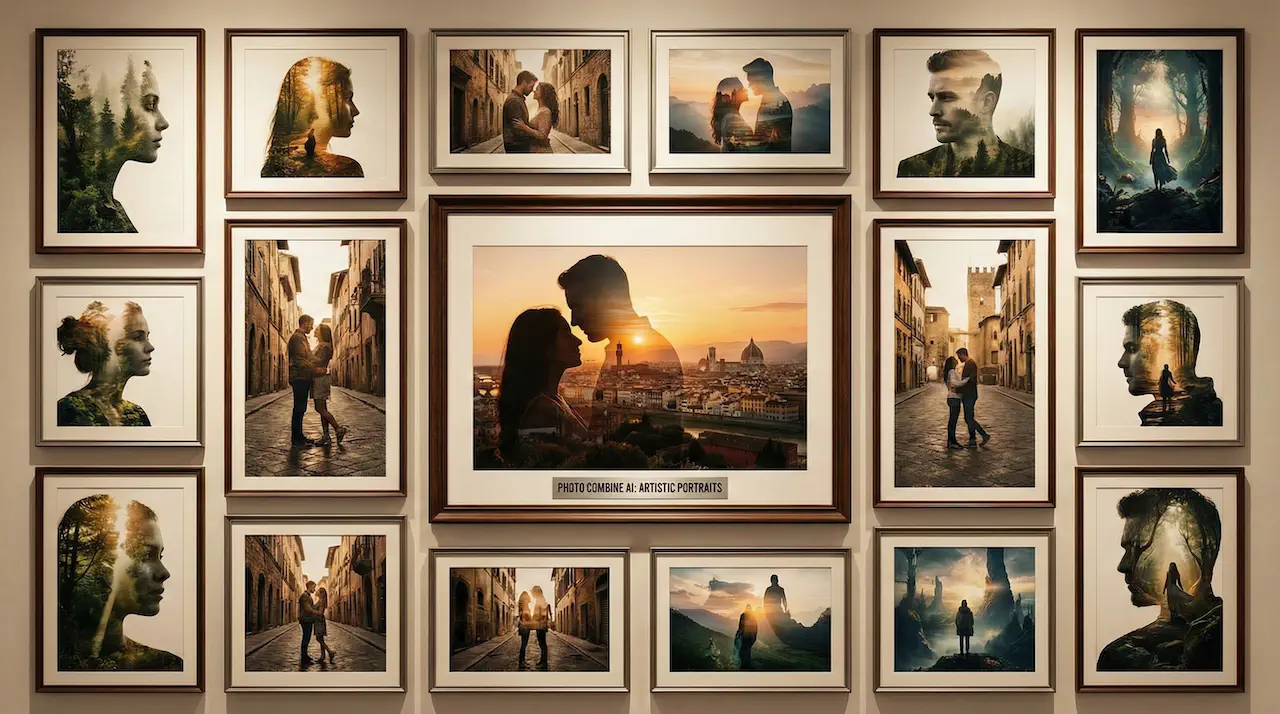
3. Creative Portraits with Photo Combine AI
Blend faces for fun couple photos, merge yourself into dream destinations, or create artistic double-exposure effects that stand out on social platforms. Our ai merge two images technology makes it easy to combine two photos in one frame online for stunning, shareable results.
Popular Portrait Scenarios:
- 💑 Romantic Couple Photos: Merge two individual portraits into one romantic scene
- 🏖️ Dream Vacation: Place yourself in exotic locations you've never visited
- 🎨 Artistic Double Exposure: Create surreal, artistic effects by blending portraits with landscapes
- 👶 Future Predictions: Blend partner photos to see potential "future baby" results
Prompt Examples for Portraits:
- "Romantic couple standing together on beautiful sunny beach, smiling, wearing summer clothes, realistic style"
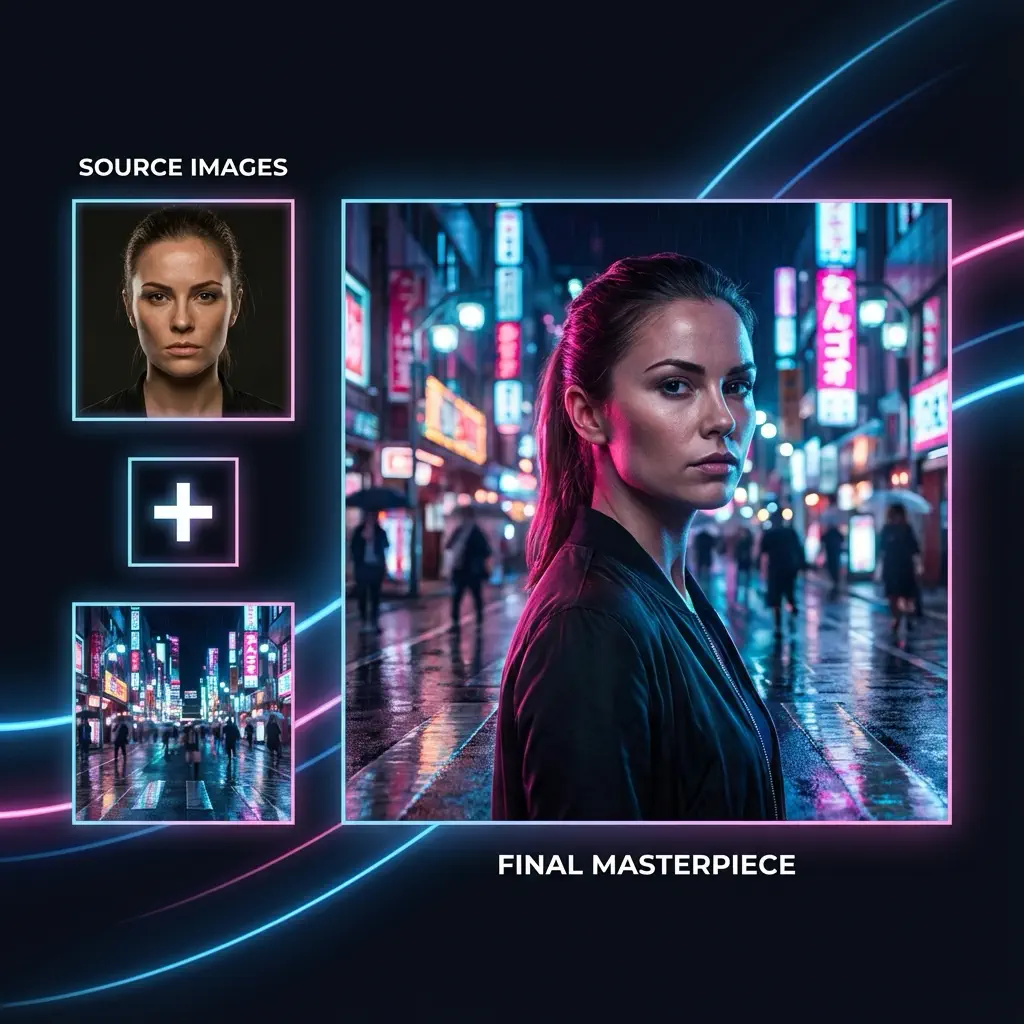
- "Blend portrait into neon Tokyo street background. Apply cinematic pink and blue rim lighting to match environment"
- "Create artistic double exposure effect. Merge mountain sunset landscape inside silhouette of man's profile"
4. Advertising Design
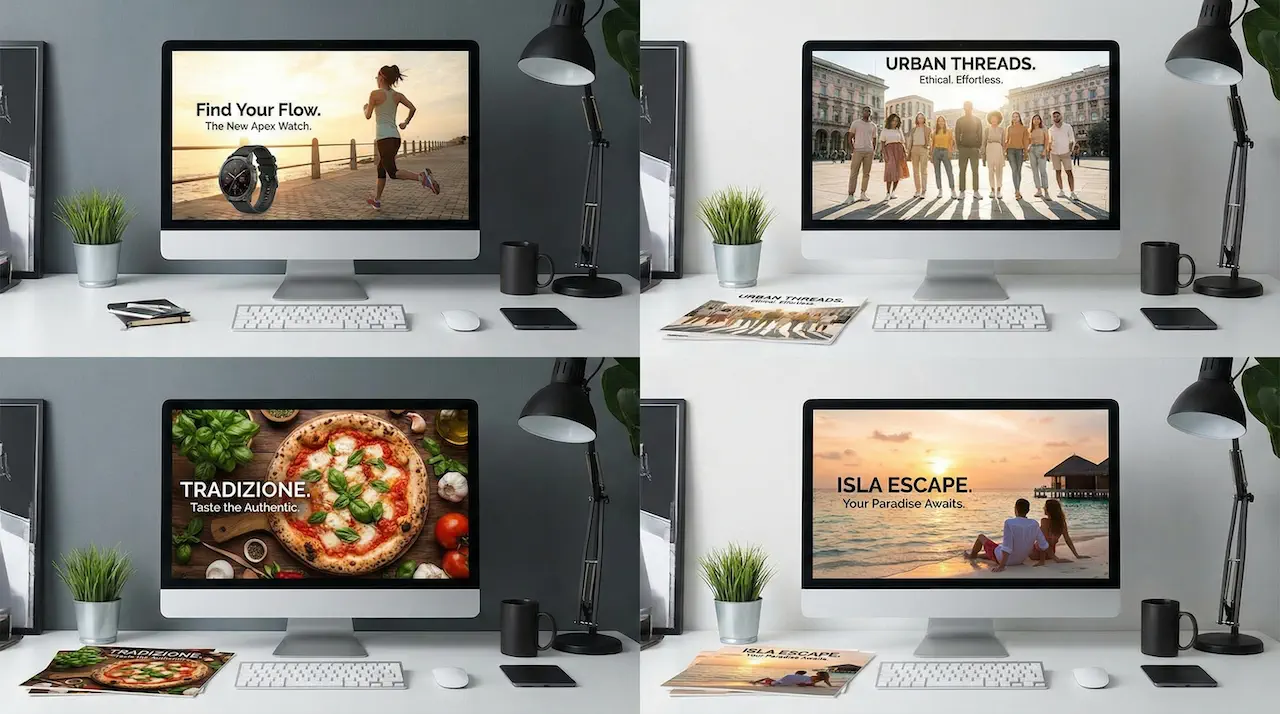
Combine products with lifestyle settings, create compelling ad visuals, or design promotional graphics that capture attention and drive conversions. Use our ai image combiner for stunning advertising campaigns that merge images professionally for maximum ROI.
Advertising ROI Data:
- 🎯 Conversion rate increase: 40% with AI-merged ad visuals
- 💵 Cost efficiency: 80% lower than traditional ad photography
- 🚀 Campaign speed: Launch in days, not weeks
Effective Ad Prompts:
- Focus on product benefits ("luxurious," "innovative," "essential")
- Specify emotional tone ("energetic," "calm," "exciting")
- Include call-to-action elements in composition
Pro Tips for Best Results: Prompt Engineering Guide
Mastering the art of prompt writing is key to getting exceptional results from any ai image combiner. Here's your comprehensive guide to writing effective prompts:
DO vs. DON'T: Prompt Comparison
| ✅ DO | ❌ DON'T |
|---|---|
| "Place perfume bottle on mossy rock with forest background" | "Combine these two photos" |
| "Blend portrait with beach sunset, warm golden hour lighting" | "Merge pictures" |
| "Create double exposure effect merging mountain landscape inside silhouette" | "Mix images together" |
| "Combine puppy onto sunny balcony, match lighting with Santorini seascape" | "Put dog on balcony" |
| "Romantic couple on beach, realistic style, soft natural lighting" | "Add couple to beach" |
Advanced Prompt Techniques
1. Be Specific About Style
- ✅ "Photorealistic, professional photography style"
- ✅ "Oil painting technique, impressionist brushstrokes"
- ✅ "Minimalist flat design, vector art style"
2. Describe Lighting in Detail
- ✅ "Warm golden hour lighting from the right"
- ✅ "Soft diffuse studio lighting, even illumination"
- ✅ "Dramatic side lighting with deep shadows"
3. Specify Composition
- ✅ "Centered composition, rule of thirds"
- ✅ "Symmetrical arrangement, balanced layout"
- ✅ "Action shot with dynamic diagonal lines"
4. Include Mood and Atmosphere
- ✅ "Dreamy, ethereal mood with soft focus"
- ✅ "Bold, energetic vibe with vibrant colors"
- ✅ "Calm, peaceful atmosphere with pastel tones"
Image Selection Best Practices
Lighting Consistency:
- Choose images with similar lighting directions
- Match color temperatures (warm vs. cool)
- Consider shadow placement
Color Harmony:
- Select images with complementary color schemes
- Avoid clashing primary colors
- Consider the mood you want to create
Quality Matching:
- Use images of similar resolution
- Ensure comparable focus and sharpness
- Match depth of field when possible
Frequently Asked Questions
1. What is an AI Image Combiner and how does it work?
An AI image combiner (also known as AI image merger or photo combiner) uses artificial intelligence to analyze and blend elements from multiple images into a single, cohesive composition. The AI analyzes each image's content—including subjects, backgrounds, lighting conditions, and color palettes—then intelligently blends these elements, adjusting colors and lighting to create a seamless transition. Imgity image combiner AI is powered by the advanced Nano Banana Pro engine for professional-grade results.
2. How many images can I combine at once?
Imgity AI image combiner supports merging 2-8 images in a single operation. This gives you flexibility for simple two-photo merges or more complex multi-image compositions when you combine multiple images into one. The AI intelligently arranges all uploaded photos for optimal visual results, making it superior to tools that only support two images.
3. What image formats are supported and what's the output resolution?
You can upload JPG, PNG, and WEBP images to our AI image combiner. The output is provided as a high-quality PNG file up to 2K resolution that preserves all the details and visual quality of your combined image. This ensures your merged photos look professional and ready for any use case, from social media to e-commerce.
4. Can I use combined images commercially?
Yes! All paid plans include full commercial usage rights for images created with our AI Image Combiner. You can use them for marketing, social media, products, advertisements, and any commercial purpose. The image merger AI gives you professional results suitable for business use. Check our pricing page for plan details.
5. How long does it take to combine images?
Most image combinations are completed in 10-30 seconds using our AI photo merge online tool. More complex merges with higher resolution images or detailed prompts may take up to a minute, but the process is significantly faster than manual editing. Our AI image combiner is optimized for speed without compromising quality.
6. What makes Imgity different from other AI image combiners?
Imgity AI Image Combiner stands out through:
- Nano Banana Pro Engine: Advanced AI technology for superior results
- Multiple Image Support: Combine 2-8 images (vs. 2 in most tools)
- High-Quality Output: Up to 2K resolution without watermarks
- Full Commercial Rights: Included in all paid plans
- Prompt Control: Precise guidance for custom compositions
- Fast Processing: 10-30 seconds, not hours
Conclusion: Transform Your Visuals with AI Image Combiner
The power to combine multiple images into one stunning visual is now at your fingertips. Whether you're an e-commerce seller looking to boost product photography, a social media creator seeking engagement, or anyone wanting to merge photos creatively, Imgity ai image combiner delivers professional results in seconds.
Why wait? Experience the future of image merging:
- ⚡ Fast: 10-30 second processing
- 🎨 Creative: Endless possibilities with prompt control
- 💼 Professional: Up to 2K quality output
- 💰 Affordable: Free to try with no credit card required
- ✨ Powerful: Nano Banana Pro engine technology
🚀 Start Creating Stunning Images Now →
Have questions about using our AI image combiner? We're here to help! Email us at support@imgity.com.